
Market Mindz (Power BI)
The Situation:
Market Mindz is a firm that collaborates with a retail vendor specializing in food and beverage products. Our task is to analyze and evaluate the marketing company and its customers. We have to give insights around a few specific items of interest:
- How our products are performing?
- Who are our customers?
- How our 6 recent marketing campaigns performing?
- What is driving campaign performance and buyer decision-making?
The Data:
We’ve been given a raw data (CSV files), which contain information about the customers.
The Task: We are tasked with using solely Microsoft Power BI to:
- Connect and transform/shape the data in Power BI’s back-end using Power Query
- Build a relational data model, linking the fact and dimension table
- Design a multi-page interactive dashboard to visualize the data in Power BI’s front-end
The Process:
1. Connecting and Shaping the Data
Firstly, we imported the data into the Power Query editor to transform and clean it. The next process involved:
Removing Duplicates: Duplicate entries were removed from the dataset to ensure accurate analysis.
Handling Null or Missing Values: For some columns, missing values were replaced with defaults or averages. Null values in “key” columns were removed using filters.
Data Type Conversion: Columns were converted to appropriate data types to ensure consistency. Dates were converted to Date type, numerical columns to Decimal or Whole Numbers, and text columns to Text.
Column Splitting and Merging: Several columns were split to separate concatenated information, or merged to create a unified name (such as Customer Full Name).
Standardising Date Formats: All date columns were formatted consistently to facilitate time-based analysis. This step was important for ensuring accurate time-series analysis in Power BI.
Removing Unnecessary Columns: Irrelevant columns were removed to streamline the dataset. This helped focus the analysis on relevant information, reducing memory usage and improving performance.
2. Building a Relational Data Model
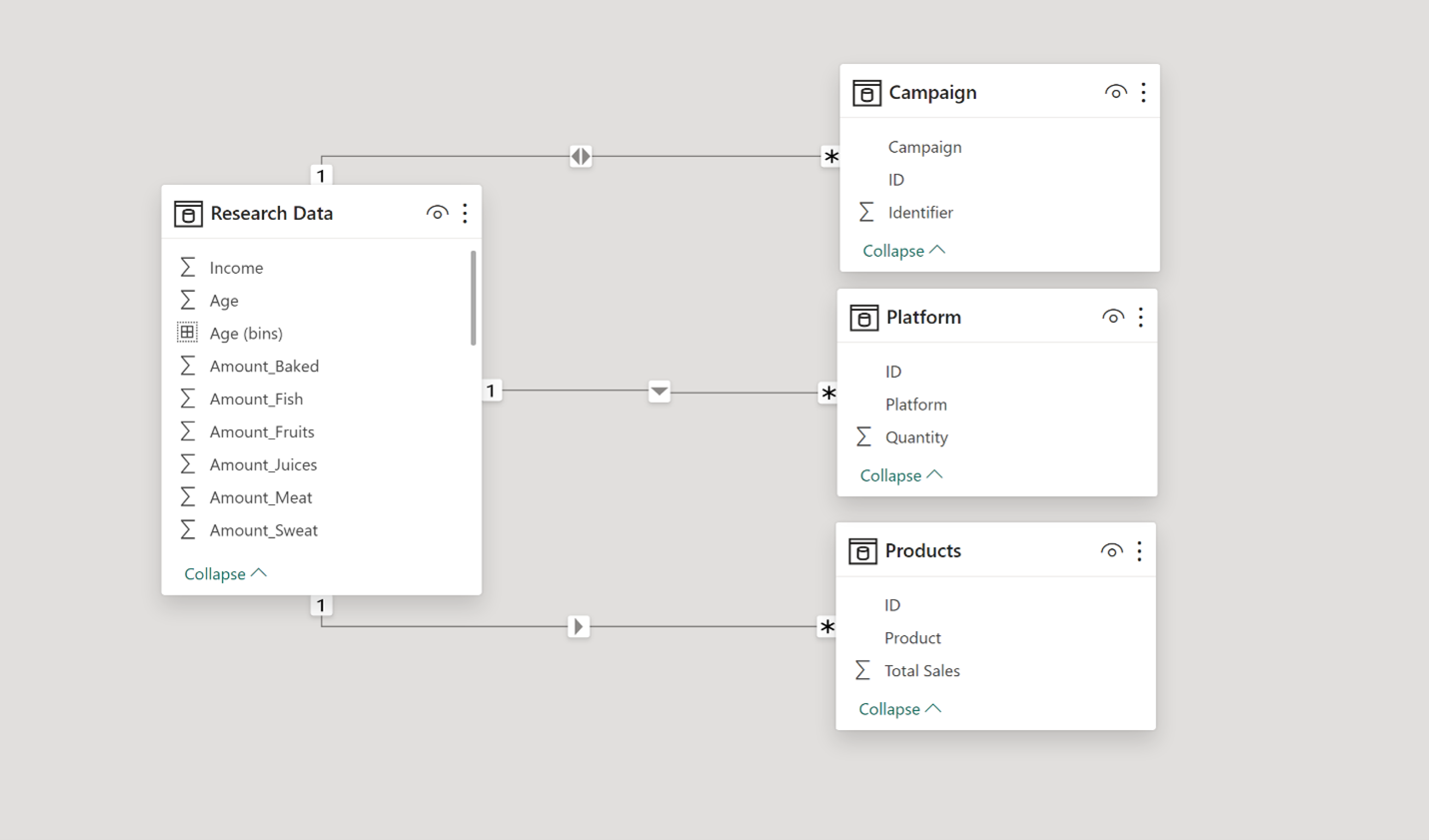
We modeled the data to create a snowflake schema.This process involved creating relationships between the dimension and fact tables, ensuring cardinalities were one-to-many relationships.
3. Visualising the Data
The final step of the project was creating a multi-page interactive dashboard, including a range of visuals and KPIs that could serve management and lead to informed decision-making. We used several visuals and tools to demonstrate and visualize the data across the 3 report pages, including KPI cards, line and bar charts, donut charts, 100 % Stacked bar chart, data bars, and Key AI Influencer. We made sure the report was fully interactive and simple to navigate, with icons used to enable filters, cancel filters, and guide users to each report page with ease.
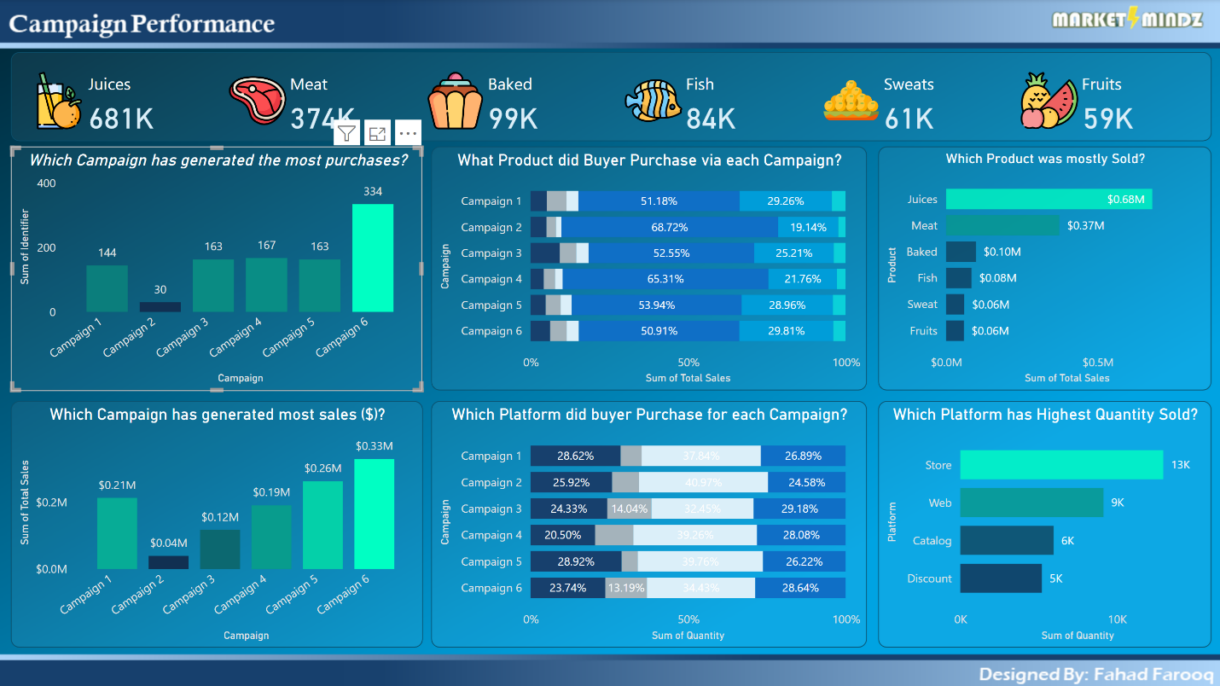
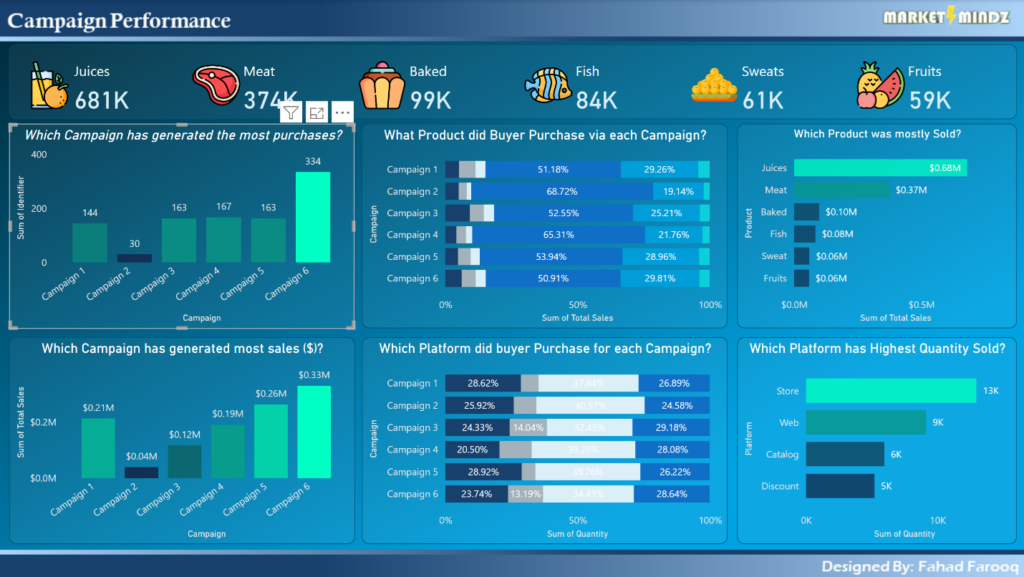
Campaign Performance Report: This is mainly about marketing campaigns performance. We use different cards and icons with these cards to make it look more attractive. We included two column charts to show which campaign has generated more purchases and sales. We have also included two bar charts to display which product was mostly sold and which platform has generated more sales. Furthermore, two 100 % Stacked bar charts were added to show which product was sold through which campaign and which platform was used to purchase the product.
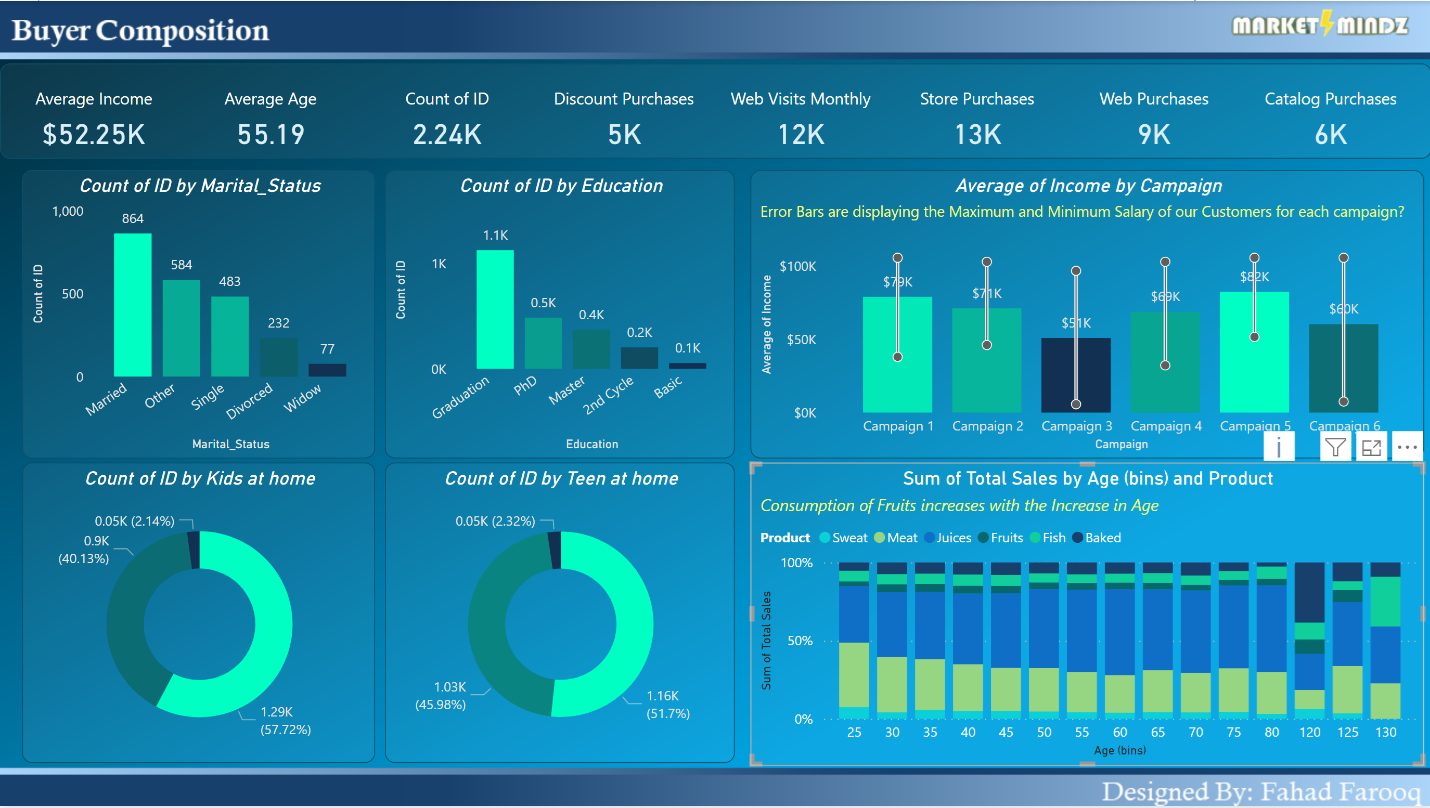
Buyer Composition: This report provides information about customer. This report included many attractive visuals. Two donut and two column charts are added to show buyer personal information effect our marketing campaign like marital status, kids at home, education level and teen at home. KPI Cards are included to show average income, average age and many other. A bar chart is added between average income by each campaign with data bars to show maximum and minimum salary ranges. 100 % Stacked Column chart is added to show how age is corelated with fruits consumption
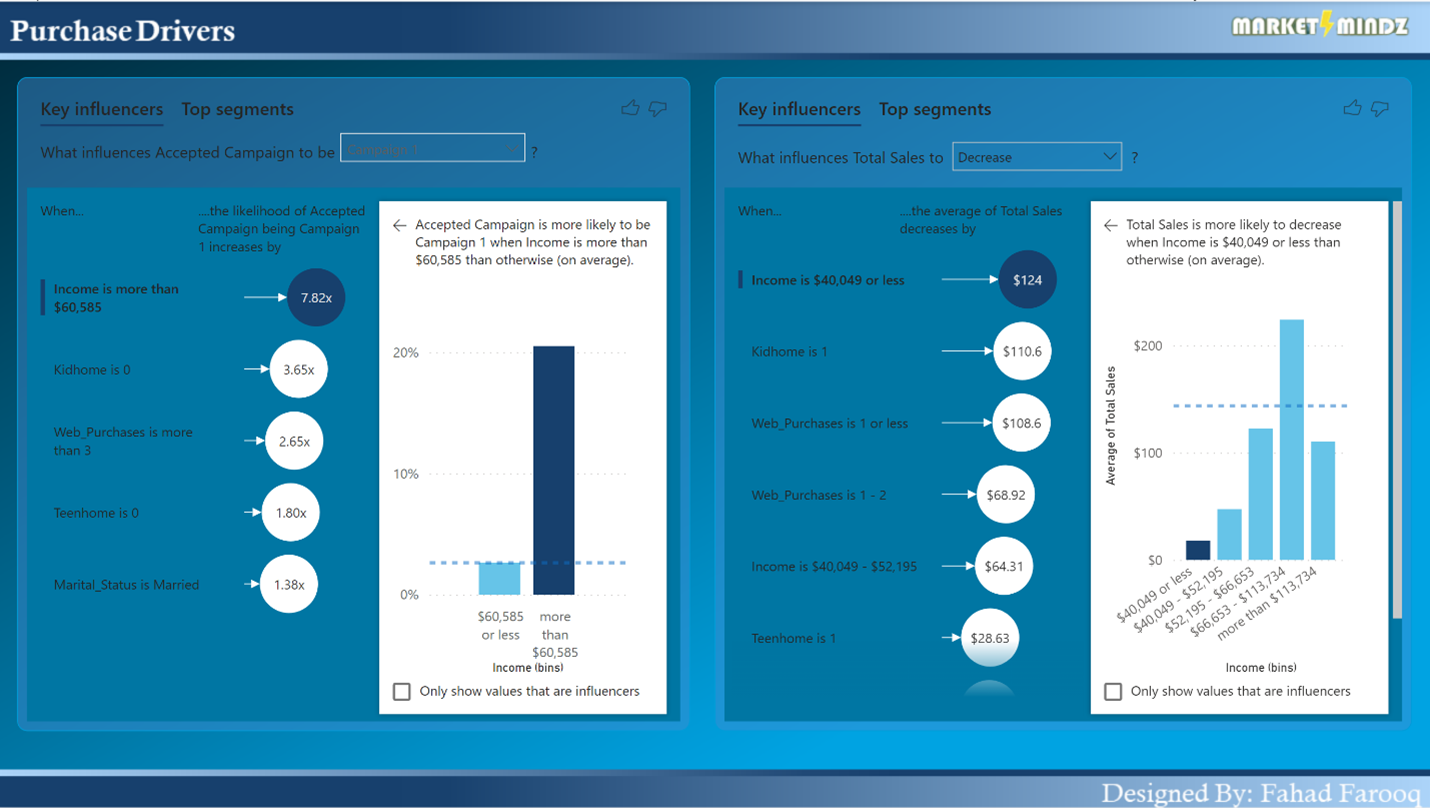
Purchase Drivers: In this report, two Key AI influencer are added to show how different parameters effects the marketing campaign and which parameter is corelated to increase or decrease in sales.